
SonicSTITCH
$897.00
⬇ Digital download — your link is emailed after payment. Nothing is shipped.
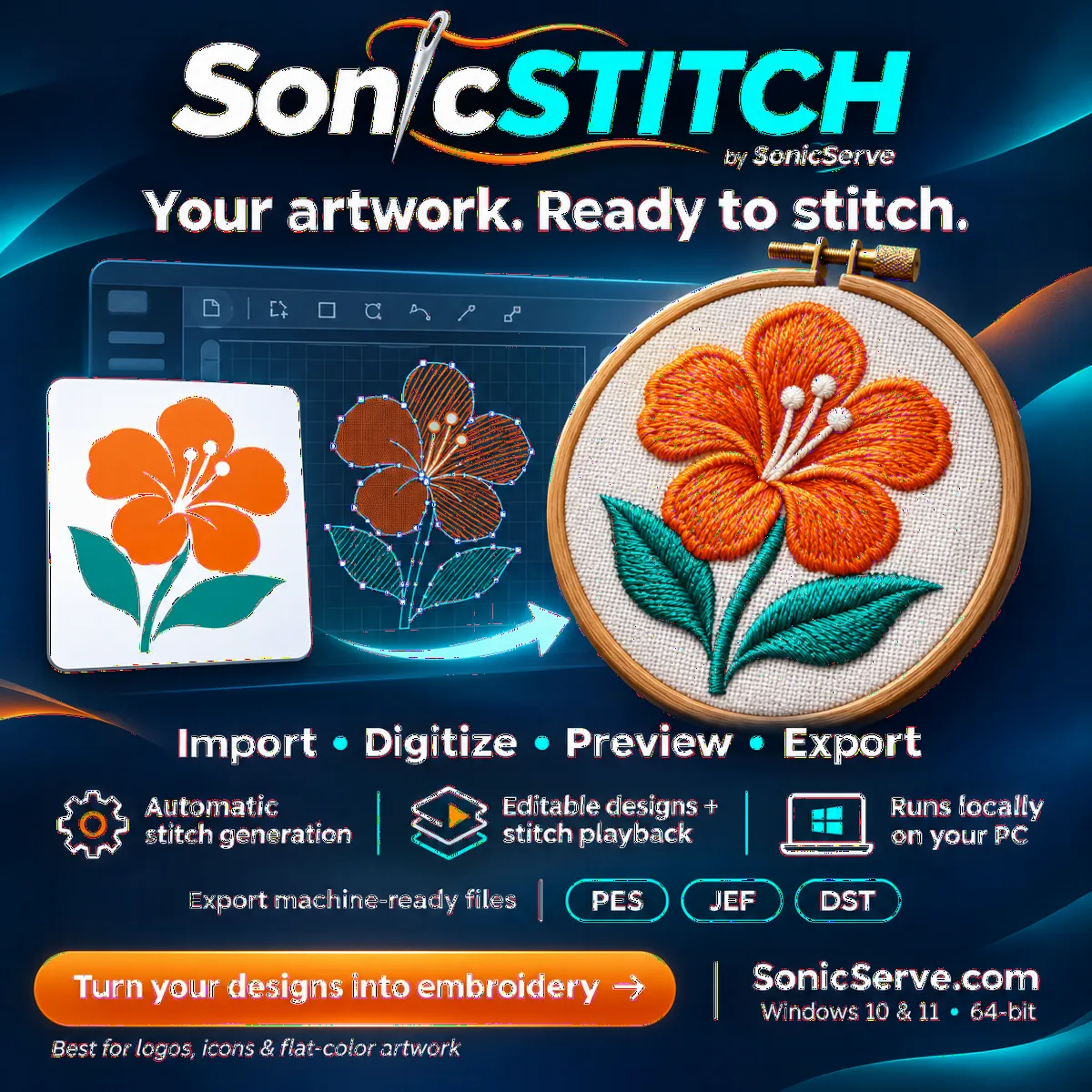
Turn your artwork into embroidery files, right on your Windows PC. Import a logo or drawing, set the size and hoop, and SonicSTITCH converts it into editable stitch objects you can fine-tune, preview stitch by stitch, and export as PES, JEF or DST.
What It Does: The 30-Second Version
- Import a PNG or JPG image.
- Set the real size in millimeters and pick your hoop.
- SonicSTITCH cleans up the artwork and generates stitches automatically.
- Check the design, play it back stitch by stitch, and adjust anything you like.
- Export a machine file and sew.
How It Works
- Import your artwork. A logo or drawing with a few flat colors works best.
- Prepare it: crop, rotate, remove the background, and choose how many thread colors to use.
- Size it in millimeters and choose your hoop and fabric.
- Generate stitches. Each color becomes an editable object with fill and outline settings.
- Edit and check the design, then watch the playback.
- Export as PES, JEF or DST, plus a thread chart and worksheet.
Features
Artwork Preparation
- Imports PNG and JPG images.
- Crop and rotate before you digitize.
- Automatic background removal, including support for transparent PNGs.
- Color reduction to a thread-friendly palette, so you choose how many colors you want.
- Tiny specks and stray pixels are cleaned up automatically, based on real millimeter sizes.
- A photo check tells you when an image is a poor fit for embroidery.
Real-World Size and Hoop Control
- Set the design size in millimeters, with proportions locked or free.
- Built-in hoop presets, including 100 × 100 mm and 130 × 180 mm, plus custom hoop sizes.
- A visible hoop outline on the canvas, with Fit Design and Fit Hoop buttons.
- Fabric presets that adjust stitch settings for the material you are sewing on.
Automatic Stitch Generation
- One editable object per color, created for you.
- Tatami fill for solid areas, with adjustable angle, row spacing and stitch length.
- Running stitch for outlines and fine lines.
- Satin stitch for borders and lettering-style shapes, drawn by you with two rails.
- Underlay options for stable, clean coverage.
- Pull compensation to offset the way fabric pulls under dense stitching.
- Tie-in and tie-off stitches so designs stay secure.
- Smart travel: stitches walk along edges inside the shape instead of jumping across open areas.
- Automatic trims and color changes, ordered to reduce thread changes without ever sewing layers in the wrong order.
Editing Tools
- Select, move, resize and rotate objects, with numeric entry for exact values.
- Node editing: reshape any outline.
- Duplicate, group, lock, delete and reorder objects.
- Per-object stitch settings, then Regenerate Selected to update only what you changed.
- Unlimited undo and redo.
- Grid, rulers and snap-to-grid for accurate placement.
Preview and Simulation
- Thread preview that shows the design the way it will look when sewn.
- Stitch playback with adjustable speed, so you can watch the order the machine will sew.
- Overlays for jumps and trims, underlay, needle points and stitch path.
- Live statistics: stitch count, colors, jumps, trims, stitch path length and estimated sewing time.
Design Checks Before You Sew
- Hoop fit warnings, so you know before you stitch.
- Warnings for stitches that are too short or too long.
- Warnings for areas that are too dense, a common cause of thread breaks.
- Warnings for features too narrow to stitch cleanly.
- Alerts for excessive trims, jumps or color changes.
Export
- PES for Brother and compatible machines, including thread colors.
- JEF for Janome machines.
- DST for the many machines and programs that read the industry-standard format.
- Every exported file is read back and checked against your design before it is saved.
- Thread chart (CSV) listing colors and stitch counts.
- Preview image (PNG) and a printable PDF worksheet for your records.
- Save your whole design as an editable project file and keep working later.
Built for Reliability
- Heavy work runs in the background, so the window stays responsive and you can cancel.
- Autosave and crash recovery, so a power cut does not cost you your work.
- Safe saving that protects your project file from corruption.
- Windows 10 (1809 or later) and Windows 11, 64-bit.
Privacy
- Everything runs on your computer.
- Your artwork is never uploaded.
- Payment happens on a secure Stripe checkout page. The software never sees or stores your card details.
Who It Is For
- Crafters and small shops who want to turn their own logos and artwork into embroidery.
- Etsy and craft-fair sellers adding embroidered items to their line.
- Anyone with a home embroidery machine who wants to digitize simple designs without a steep learning curve.
- Makers who want control: every object is editable, nothing is locked inside a black box.
Be Upfront: What It Is Not
- It works best with logos, icons and flat-color artwork. Photographs are not a good fit, and the app will tell you so.
- Satin stitches are drawn manually. There is no automatic satin detection yet.
- It imports images only. It does not open existing PES, JEF or DST files.
- Windows only for now.
- This is a new product. Stitch settings are sensible starting points, so we recommend a small test stitch-out on scrap fabric with stabilizer before a big project.
Customer Reviews
No reviews yet. Customers who buy this item can review it from their order page.